
QA Tools For A Connected Software Testing Workflow

Quality assurance tools help teams plan testing, execute checks, investigate defects, and communicate results. A connected QA tool stack brings those activities together, giving your team the context it needs to assess software quality before release.

Explore the main categories of QA tools, the work each supports, and how TestRail connects test management with the rest of your testing workflow.
IQ Block 3 wide 1

Test management tools: organize testing and review results

Test management tools provide a shared structure for testing work. They help teams maintain reusable test cases, plan test cycles, capture outcomes, and communicate progress across projects and releases.

Example: TestRail

TestRail helps teams organize test cases in a central repository, create runs and plans, and review manual and automated results together. Requirements and defect links add context to testing activity, while dashboards and reports help stakeholders understand progress and coverage.

What to look for: Flexible test case organization, clear ownership, execution history, coverage reporting, and connections to the tools your team already uses.

Learn how TestRail works as a QA management tool.
TestRail AI – Homepage Graphics__UI #1 – Gain AI-Enhanced Productivity
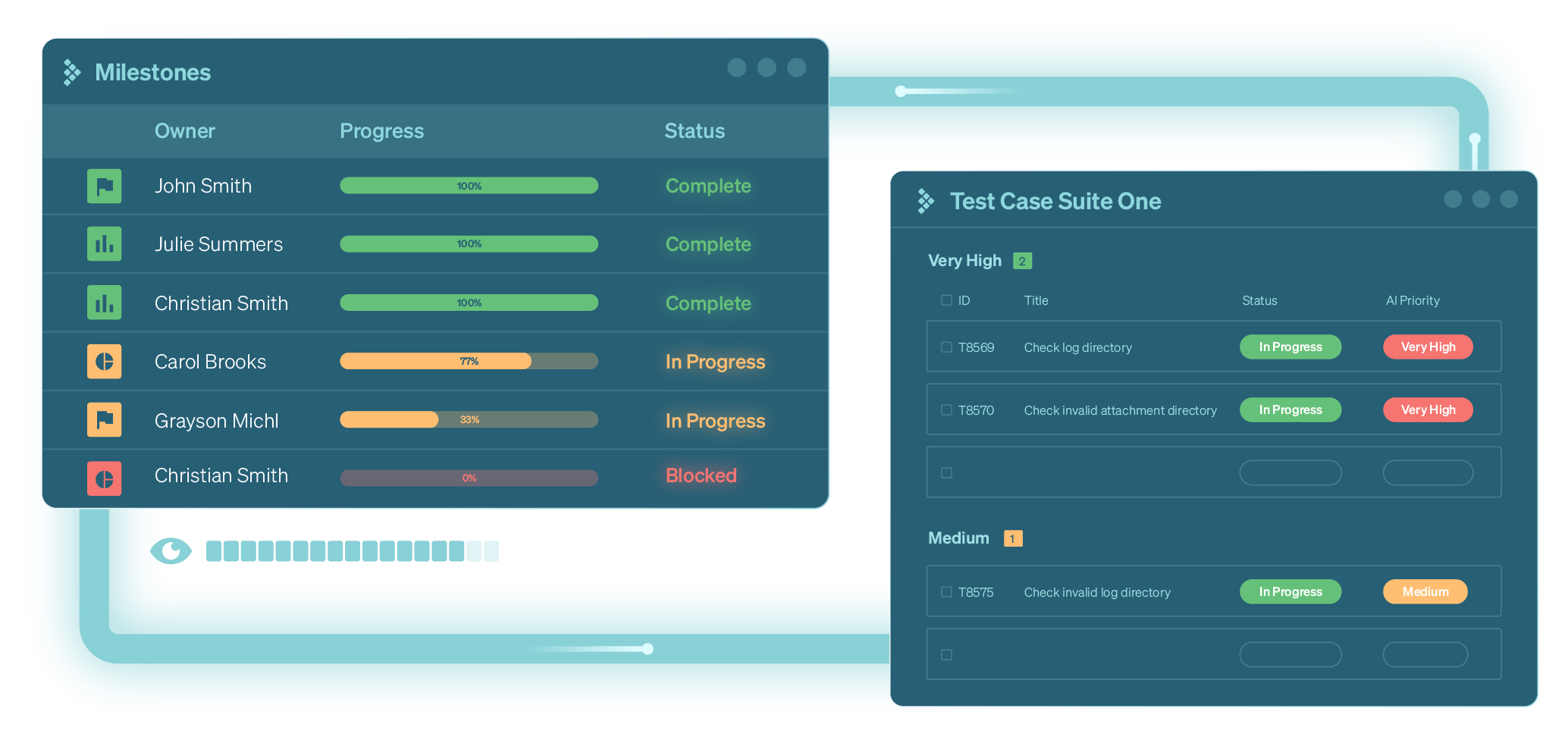
Assign runs to milestones and owners

Test automation tools: execute repeatable checks

Test automation tools run checks that would otherwise require repeated manual execution. They can support regression testing and provide feedback as an application changes. Teams still need to design useful tests, maintain them, and investigate failures.

Examples of browser test automation tools include:

Selenium: A framework for automating browser interactions and checking web application behavior.

Playwright: A framework for writing and running automated web application tests across browser engines.

Cypress: A tool for automated web testing, including end-to-end and component testing.

What to look for: Compatibility with your application and browsers, support for your team’s programming skills, useful failure diagnostics, and a manageable maintenance workload.

Where TestRail fits: Your automation framework executes the tests. Results can then be sent to TestRail so your team can review automated outcomes alongside manual testing. The setup depends on the framework and the integration method used.

CI/CD tools: run tests as part of software delivery

CI/CD tools coordinate build, test, and delivery workflows. They can trigger automated checks when code changes, making test execution part of a repeatable development process.

Examples: Jenkins and GitHub Actions
Jenkins and GitHub Actions can run automated testing workflows within a delivery pipeline. The automation framework performs the checks, while the pipeline controls when and how the work runs.

What to look for: Support for your repositories and environments, clear workflow configuration, accessible execution logs, and a reliable way to publish test results.

Where TestRail fits: Send automated results from your pipeline to TestRail so QA can review those outcomes within the broader testing plan. This adds testing context to the build-level feedback your CI/CD tool provides.
Track execution and capture results
Real-time insights, reports, and charts

Defect tracking tools: connect failures to follow-up work

Defect tracking tools help teams document software issues, assign responsibility, and follow progress toward resolution. A useful defect report includes enough context to reproduce the issue and understand its impact.

Examples: Jira and GitHub Issues

Teams use Jira and GitHub Issues to organize bugs and related development work. Connecting those issues to test results helps testers and developers move between a failure and the work needed to investigate it.

What to look for: Clear issue ownership, configurable workflows, searchable history, and links between defects and the testing activity that uncovered them.

Where TestRail fits: Link defects to test results to preserve testing context and support follow-up. Available actions and configuration vary by issue tracker and integration.

Build quality processes and release with confidence

format_quote

TestRail is a great all-in-one tool for managing test repositories, creating test plans, tracking test execution progress, monitoring automation coverage, and generating insightful reports.

testimonial-rakuten-image

Amrathraj Nayak

Engineer Manager - QA

rakuten-navy
format_quote

When it comes down to preparing our test suites and test cases, we save 20% of our time using TestRail because we can create test cases and test suites faster with intuitive UI/UX.

testimonial-solitea-image

Jiří Malý

Senior Software Tester

testimonial-solitea-logo
format_quote

TestRail improves our collaboration, efficacy, and application quality, which in turn provides the best customer experience.

TestRail-table-logo

Kelli Jordan

Director of QA

testimonial-convercent-logo
format_quote

TestRail enables us to deliver consistent product quality and communicate the state of testing in simple terms to management and executives.

TestRail-table-logo

Moira Tuffs

Software QA Manager

testimonial-3dsystems-logo

Orchestrate your entire QA process with ease

Test management
mobile Test management
Intuitive Test Case Management
Design your test processes with reusable test cases organized in folders within a central repository
Flexible Test Plans
Build and collaborate on agile or waterfall test cycles within test runs, plans, and milestones
Fast Test Execution
Effortlessly record test results across different versions and environments, add screenshots and attachments, and generate defect reports
Traceability Coverage
mobile Traceability Coverage
Instant Traceability
Connect to your tool stack. TestRail links tests to your requirements in Jira, GitHub, Azure DevOps, and more
Detailed Coverage
Identify the gaps in your test plans and where you need additional test cases to achieve full coverage. No matter where you track your requirements
Detailed Historical Records
Retain detailed historical data and traceability reports to maintain compliance and make sure you never fail another audit
Test automation
mobile Test automation
Integrations with Test Automation
Integrate with any automation tool or framework— like JUnit, Cypress, Robot Framework, and more— via the extensive TestRail API
CI/CD Integration
Embed TestRail in your CI/CD pipelines running in Jenkins, GitLab, GitHub Actions, and more
Automation Oversight
Centralize automated test reporting for efficient analysis and visibility across your team
Analytics
mobile Analytics
Real-time Visibility
Visualize all of your test data in real-time to discover areas of risk — before you release
Process Optimization
Compare results across multiple test runs, configurations, and milestones
Contextual Insights
Use built-in reports to visualize and isolate problems and optimize your quality processes

Test case software for every testing
workflow

TestRail  adapts to how your teams actually test, without forcing one rigid process across every project. Keep manual and automated testing in one place, organize work by suite and run, and maintain a clear history of results so coverage and
progress stay visible over time.

Manual testing

Create a reusable test case library and execute runs consistently across releases, with results captured in a structured, traceable way.

Automated testing

Track automated results alongside manual execution so teams can understand overall coverage and quickly see what changed between runs.

Agile and Scrum

Plan and execute around sprints and milestones, then use real-time visibility to stay aligned as priorities shift.

Enterprise QA

Standardize reporting across teams and projects while keeping ownership and execution workflows flexible at the team level.

AI-assisted test design

In TestRail Cloud, AI-powered test case generation can help you draft structured test cases faster from requirements, then refine them with human review. Admins can enable or disable the feature in the AI Hub and restrict access by role and project as needed.

Join over 10,000 QA teams using TestRail to release flawless products, faster

Deep integrations mean deeper insights

Leverage TestRail's built-in integrations and extensive API to create your ideal testing tool stack

Beyond the product

The QA Lead's Guide to Agile Testing

Free Ebook: The QA Lead's Guide to Agile Testing

Many QA teams are already utilizing Agile or an Agile-like scrum methodology, yet still struggle to find the balance between the fast-paced Agile development cycle and delivering quality software their customers can count on.

This guide provides actionable and impactful agile testing takeaways that you can introduce now, as well as a "Crawl/Walk/Run" framework to help your team get onboarded and start seeing results.
Sembi – 2026 Software Quality Pulse Report – Ads Set 2 (2048×841) – NG (1)

The First Edition Sembi Software Quality Pulse Report

This groundbreaking report compiles insights from nearly 4,000 software quality and security professionals to bring you the most honest, illuminating, and action-driven snapshot of the state of the industry yet. The findings include:

  • The real-world impact of AI on software quality
  • How teams are aligning quality and security
  • The biggest 2026 priorities and challenges
  • And much more
The Total Economic Impact of TestRail

Forrester TEI Study: 204% ROI with TestRail

Read the TestRail Total Economic Impactâ„¢ (TEI) study to learn how real customers accelerate software testing while driving significant cost savings, including:

  • 204% ROI over three years
  • $3.34M in benefits over three years
  • 14-month payback period

Download the full report for more on how TestRail can help your team see results.

Frequently Asked
Questions

Test case software is a system for creating, organizing, and maintaining test cases, then planning runs and recording results during execution. It gives teams a central place to manage test assets, track what was tested, and see outcomes over time. The goal is consistency, visibility, and repeatability across releases, even as teams and requirements change.

It improves quality by making coverage and execution more consistent and visible. When test cases are standardized, organized, and reused across releases, teams are less likely to miss critical paths. Clear results history helps spot regressions and recurring failures. Reporting also supports better decisions on release readiness, risk, and where to focus testing next.

Yes. TestRail supports manual testing by helping teams build a structured test case library, plan runs, assign work, and capture results consistently. It also supports automated testing by letting teams track automation results alongside manual execution, so you can understand overall coverage and see what is passing or failing across runs and releases.

TestRail makes execution status easy to monitor during a run, including what is untested, in progress, passed, or failed. Built-in dashboards and reports help QA leaders summarize progress for stakeholders without manual rollups. Historical results also make it easier to compare outcomes between releases and communicate trends, risk areas, and release confidence.

TestRail supports planning around releases using milestones and test runs, so teams can align execution to delivery timelines. Many teams also connect tests to user stories or requirement IDs using custom fields, naming conventions, or integrations with issue and project tracking tools. This helps keep testing aligned to what is changing and improves traceability.

Yes. TestRail is designed to support multiple teams and projects with a consistent structure, reporting, and oversight. You can standardize how test cases, suites, and runs are organized while still allowing teams to execute in the way that fits their workflow. Centralized reporting helps leadership compare progress and outcomes across products and teams.

In TestRail Cloud, AI-powered test case generation can help you draft structured test cases faster from requirements, then refine them with human review. In TestRail Cloud 10.1, AI is enabled by default, and admins can disable it or restrict access by role and project in the AI Hub.