
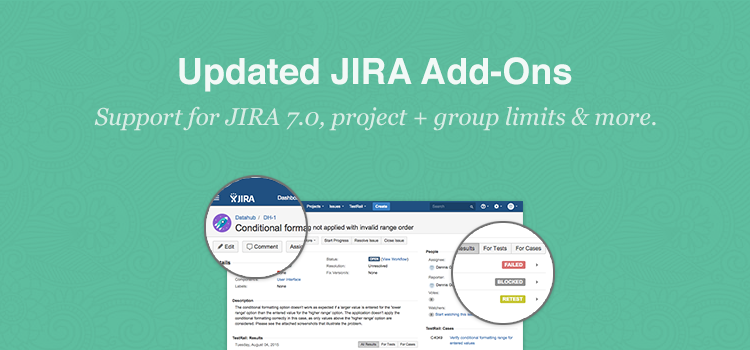
Summary: we have updated our JIRA add-ons to work with JIRA 7.0 (released this week) and added the ability to limit the integration to select projects (for JIRA Server and Cloud), or user groups (JIRA Server only), among other new features. This makes TestRail the only test management tool that integrates JIRA add-ons per project.
Just a few weeks ago we released our new JIRA test management integration with full JIRA add-ons for cloud and server instances as part of our TestRail 5.0 release. The feedback (and adoption rate) has been great and we are happy to see that hundreds of teams already installed and successfully use the new add-ons every day. Today we’ve also updated the add-ons to work with the new JIRA 7.0 version just released by Atlassian. Our add-ons now fully support JIRA Cloud, JIRA Server 5.x, 6.x and 7.x, in addition to our support of earlier JIRA versions with our traditional integration.

Since the release we’ve learned that for many teams, TestRail’s new options to view test results, linked test cases and metrics makes their lifes much easier and helps the entire development team contribute to testing.
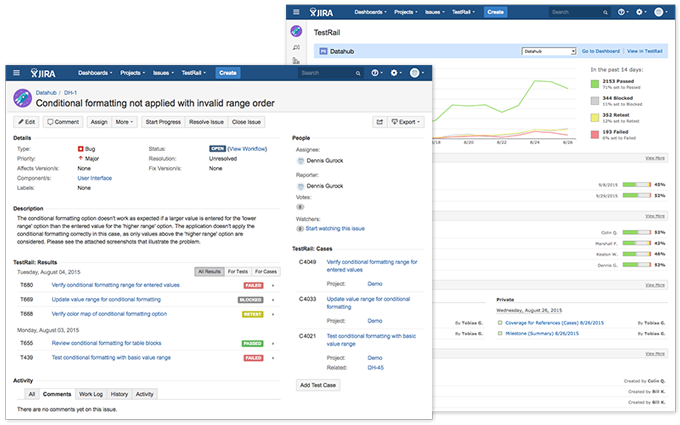
Rich TestRail JIRA test management integration for JIRA Cloud and JIRA Server 5.x, 6.x & 7.x
But not everyone using JIRA cares about software testing or QA. In many organizations JIRA is used for various projects and areas unrelated to software development, such as customer support, internal IT or even finance. Many teams approached us and asked how to limit our new add-on just to certain user groups or projects in JIRA. Traditionally add-ons are always active for an entire JIRA installation. In fact, if you are purchasing add-ons for JIRA from the marketplace, you always need to purchase licenses for every JIRA user, even if they don’t have a need for that add-on. This isn’t a problem with TestRail, as we provide our add-on for free, but we learned that this is an issue for many commercial JIRA add-ons.
JIRA isn’t offering any easy ways to limit add-ons to certain projects and groups, but many teams require this in order to use such an integration. So after reviewing the available integration points we actually came up with a way to add options to limit the add-on visibility to select projects. And for JIRA Server we even found a way to limit the add-on visibility to select user groups. Starting today you can use the new options directly from the add-on settings to make it easier to adopt the new integration for your team (for JIRA Server you just need to update the add-on from the add-on section).
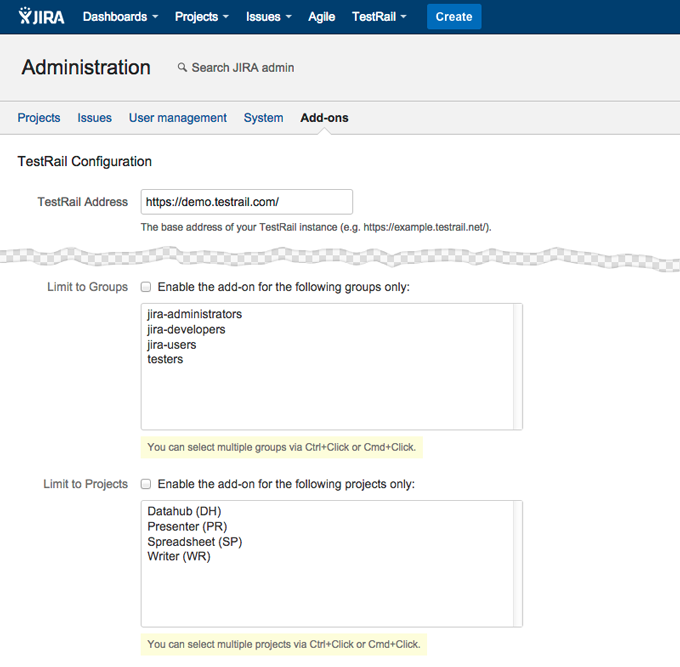
Add-on configuration with new project and group limits (group limit for JIRA Server only)
We also improved and added various other new features to the add-on since the release. One feature we didn’t have in earlier add-on versions is the ability to see test results not just for linked bug reports, but also all results for cases linked to JIRA stories. So now you are not only able to track tests for bugs, but also get a complete picture of related testing for any JIRA story.
With the new update TestRail is the only test management tool integrating a JIRA add-on on a per project basis now, so if you have been holding off adding any add-ons to your large JIRA instance, now is a great time to try TestRail. If you are upgrading to JIRA Server 7.0, you can now also update the TestRail add-on to use the rich integration.