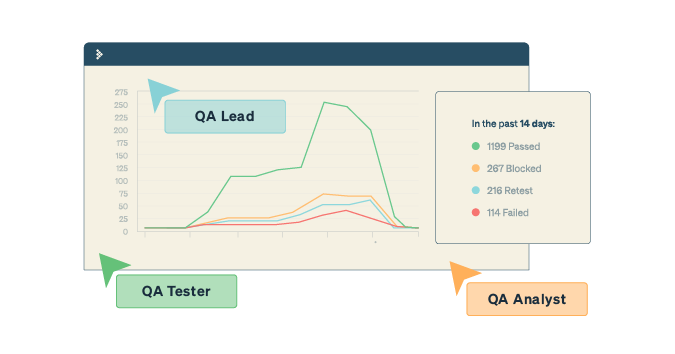

A test summary report is a written account of your test strategy, deliverables, and results for a particular test cycle. The main objective of a test summary report, regardless of your development methodology, is to record the actions and results of the testing activities performed, give visibility to your team, and create a historical record of your test efforts for a particular sprint, test cycle, or release.
Here are five actions you can take to create an efficient test summary report:
- Describe the scope of testing
- Document test environment details
- Summarize the types of testing performed and test results
- Capture any lessons learned throughout testing
- Report on the status of exit criteria
How to write a test summary report in Agile
1. Describe the scope of testing
Information to consider including in your document overview:
- Who will read the report?
- What information will they need to know to take action in their roles?
- What are their expectations?
Information to consider including in your product overview:
- A brief description of the product and its features
- The scope of the testing effort
- Modules that are in scope
- Modules that are out of scope
- Areas not tested due to constraints
2. Document test environment details
Test environment details help stakeholders comprehend testing conditions and any limitations that may have influenced testing results. Typical information to include about the testing environment is:
- The hardware and software used
- Application URL
- Database version
- Details of any tools used for bug management
A helpful tip is to have a centralized location for all test environment information, making it simple to document and share.
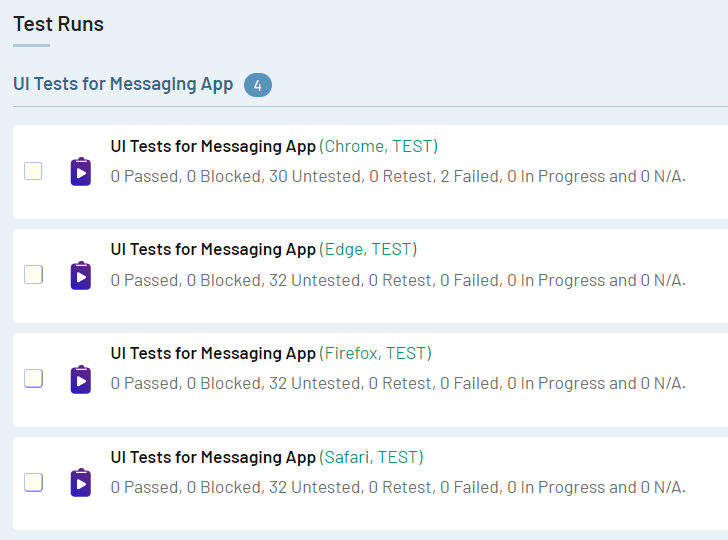
Image: In TestRail, you have a centralized location for all test environment information, making it simple to document and share all of your test information in one collaborative platform.
3. Summarize the types of testing performed and test results
To ensure that your application is tested properly and according to your test strategy, it can be important for your team to document the different types of software testing performed. Examples of testing types include:
4. Capture any lessons learned throughout testing
It can be important for your team to document any recommendations and lessons learned during the testing process so that you can refer back to them in the next testing phase and make recommendations such as enhancements to the product, testing activities, or any other relevant areas that can help your team plan for upcoming release cycles.
Examples of lessons to document in your test report include:
- Any best practices that emerged during the testing process
- Issues encountered
- Future improvements to the testing process
- Testing techniques, tools, or processes that successfully detected defects or improved the testing effort
5. Report on the status of exit criteria
Exit criteria outline the conditions to meet before testing is complete to ensure that all aspects of the software have been thoroughly tested and the product is ready for distribution.
It’s important to report on the status of exit criteria to identify defects and risks that need to be addressed prior to continuing to the next phase. When reporting on exit criteria status, you should ask questions such as, “Did testing meet exit criteria?” “Are there any exit criteria that were not met?” “For what reason?”
What to include in an agile test summary report
In agile, the test summary report serves as a record of test execution and is less formal and more results-oriented than if your software development life cycle is more of a waterfall style. While these reports should all include the same basic information necessary for the target audience, there’s no set formula, and testers should gauge what data to add depending on the test report’s objective.
Your test report should be lean and contain a few essential components such as the testing environment, the testing scope, and the testing specifics.
Here are the four steps to write an agile test summary report:
- Test objective: Explain what type of testing you executed and why.
- Test cases/ execution details/ test coverage: Explain the test suite and include when the test was executed, what type of test was executed, and where it is stored.
- Defect status: This section should include the following information about any bugs or defects discovered during testing:
- Total number of bugs discovered during testing
- This data can help determine the overall quality of the product being tested.
- Status of bugs discovered during testing and links to issues or bug reports
- This reports whether the bugs are still open, closed, or being addressed by the development and testing team.
- Breakdown by severity and priority
- This information can help you better understand the significance of each bug and the level of attention it needs.
- Total number of bugs discovered during testing
- Platform and test environment configuration details: Include information about the testing environment. If you share any test environment details regarding an application’s code, ensure you consider security and compliance.
Agile test summary report template
Although there isn’t a strict set of rules on what a test summary should contain, here’s a template that you can use as a starting point.
| Project Information: The testing project name and description |
| Test Objective: The purpose of testing and testing type |
| Test Summary: The number of test cases planned, executed, passed, and failed |
| Defects: Total BugsStatus of BugsThe number of bugs that are currently open, closed, or being responded toLinks to relevant defect reports or issuesBreakdown by Severity and PriorityHigh Severity: The number of bugs with high severityMedium Severity: The number of bugs with medium severityLow Severity: The number of bugs with low severity |
Remember, you can complement your test summary report with whatever elements are most relevant to your team. For a real-world example of an effective Test Summary report, check out this example of a test summary report generated by TestRail.
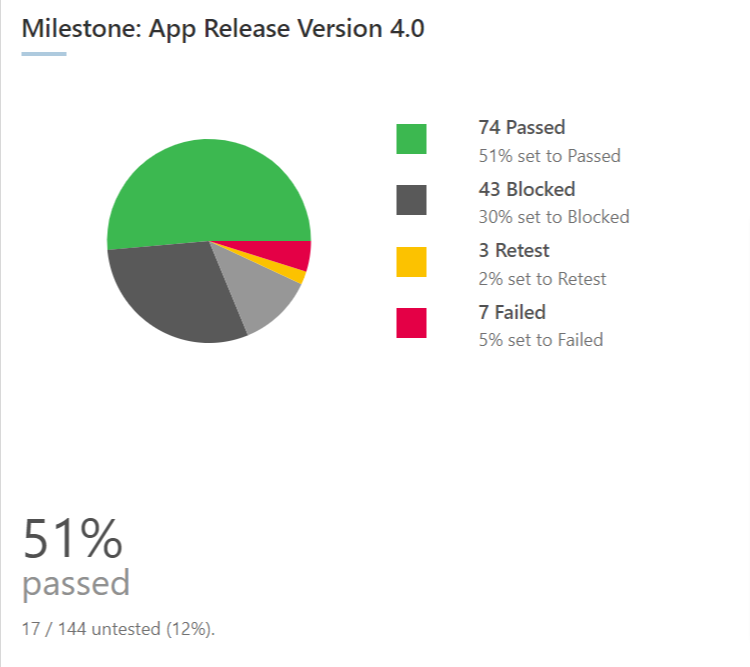

Image: TestRail’s milestone summary report shows you your initial test objectives, initial one-page test plan, all the test runs and test plans added within that milestone, the priority you assigned to them, and more.
How to generate a test summary report automatically
With a test management tool like TestRail, you can save your team hours by automatically generating test summary reports and skipping the manual work of gathering required information and entering it into tables.
TestRail allows you to generate reports with the click of a button, generate reports regardless of the framework or programming language, and customize status reports based on the information you want to highlight. Here is an example of a testing status report generated by TestRail:

Image: Streamline the process of producing test summary reports with a dedicated test case management platform like TestRail that lets you define test cases, assign runs, capture real-time results, and schedule automatic reports.
To learn more about how TestRail can help you visualize test data in real-time and how to use report templates to check test coverage and traceability, check our our free TestRail Academy course on Reports & Analytics!