
As an application grows, so does its test repository. Over time, team members can lose sight of a test’s purpose, requirements, setup, and expected results, especially when documentation and ownership are unclear.
A test case review process introduces a quality checkpoint between test design and execution. It uses clear standards, risk-based review levels, and defined ownership to improve test quality without creating unnecessary delivery delays.
That balance matters as QA workloads increase. According to the 2026 Sembi Software Quality Pulse Report, 61% of respondents report moderate to dramatic increases in QA testing demand because of AI-generated code, while 44.7% of QA teams report being understaffed. Teams need review processes that protect test quality without turning every update into a meeting.
This guide explains what a test case review should include, who should participate, how to build an efficient workflow, and how TestRail supports formal reviews and approvals.
What is a test case review process?

A test case review process is a structured workflow in which a team determines whether a new or updated test case meets its standards before approving it for execution.
The review should verify that the case has a clear objective, accurate expected results, sufficient setup and test data, and repeatable steps. It should also confirm that the case adds meaningful coverage, connects to the relevant requirement or risk, and can be maintained as the application changes.
Reviews are one part of a scalable test case design process.
1. Test case authoring
A tester creates a draft based on a requirement, user story, defect, product risk, or exploratory finding. The draft should follow the team’s test case template and include enough context for someone other than the author to understand its purpose.
2. Test case review
A qualified reviewer evaluates the draft and provides feedback. The reviewer checks its accuracy, coverage, clarity, repeatability, and relationship to existing tests.
Reviews are relevant to manual test cases, automation candidates, and AI-generated test cases. The criteria may vary by test type, but human validation helps confirm that the case provides useful evidence.
3. Test case approval
An authorized reviewer or approver confirms that the case meets the organization’s standards and is ready for formal execution.
Not every organization requires a separate approval stage. Peer review may be sufficient for routine tests on smaller teams. Enterprise, regulated, or high-risk environments may require formal approval, documented feedback, and version history.
What is the difference between review and approval?
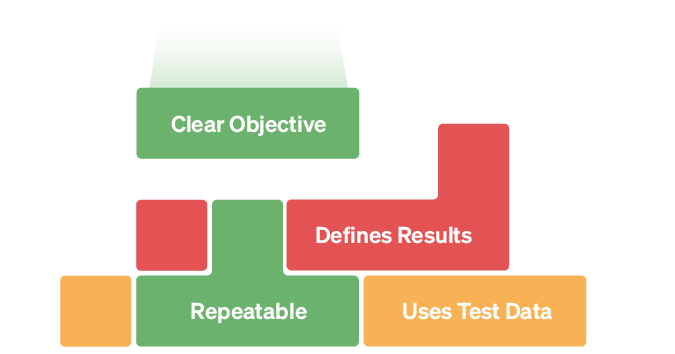
Review and approval are related but separate activities.
A review evaluates the test case and identifies corrections or improvements. The result may be acceptance, requested changes, or rejection.
Approval is the decision that the case meets the required standard and can be included in formal execution or an approved test repository.
The same person may perform both steps in a simple workflow. Teams with separation-of-duties requirements may assign them to different people.
Why test case reviews matter

Test case reviews help teams identify problems before those problems produce misleading execution results or unnecessary maintenance work.
Improve test accuracy
A test author’s assumptions, product knowledge, or interpretation of a requirement can lead to errors in a case. A second reviewer can identify problems such as:
- Incorrect assumptions
- Invalid expected results
- Missing setup requirements
- Steps that no longer reflect the product
- Incorrect interpretations of a requirement
- Test data that cannot be reproduced
- Dependencies that are not documented
A review reduces wasted execution time and helps prevent an error in the test itself from being mistaken for an application defect.
Find coverage gaps
Reviewers confirm that a case adds meaningful coverage rather than simply increasing the number of tests.
They can compare the case against:
- Requirements
- Acceptance criteria
- Known risks
- Integration points
- Error conditions
- Permission levels
- Data variations
- Supported configurations
- Existing test cases
This review can reveal missing positive, negative, boundary, accessibility, security, or integration scenarios.
Reviewed test cases can also provide context for AI-assisted development. TestRail MCP, currently promoted through a beta program, connects authorized MCP-compatible AI tools to existing test and quality information. Outdated requirements or incorrect expected results can mislead both testers and the agents using those cases as context. Teams should verify which cases are suitable for use and how access is configured; a connection does not itself guarantee that only approved cases are retrieved.
Reduce duplicate and low-value tests
Large repositories can make it difficult to locate existing coverage. As a result, teams may create several cases that validate the same behavior.
Before approving a new case, reviewers can determine whether to:
- Add it as a separate case
- Incorporate it as a data variation
- Use parameterization
- Add or reuse shared steps
- Merge it with an existing test
- Replace an outdated case
- Exclude it because it provides little additional value
Avoiding unnecessary duplication reduces execution time and future maintenance.
Improve automation readiness
A manual test may serve its current purpose but still be poorly suited for automation. Reviewers and automation engineers can identify:
- Vague or subjective assertions
- Uncontrolled test data
- Hidden dependencies
- Steps that rely on human judgment
- Missing setup or cleanup instructions
- Unstable UI interactions
- Scenarios that belong at a lower test level
A review may mark a case as a candidate for automation, send it back for clarification, or confirm that it should remain manual.
Support traceability and audits
Documented reviews can support internal governance, contractual obligations, and regulatory audits.
Depending on the organization’s requirements, review records may help show:
- Who created the test
- Who reviewed or approved it
- Which changes were requested
- Which version was executed
- Which requirement or risk the test covered
- Whether the test was approved at the time of execution
A review workflow does not create compliance by itself. Teams must configure the process and retain evidence according to their specific policies and obligations.
Who should review test cases?

Reviewers should understand the testing objective, expected behavior, and relevant product risks. Different cases may require different reviewers.
QA peers
QA professionals can evaluate test structure, data, testing techniques, expected results, and duplication. Peer review is appropriate for many routine functional cases.
Senior testers or test leads
A senior tester or test lead may review:
- High-risk workflows
- Cross-system cases
- Release-critical tests
- Shared test assets
- Regression-suite additions
- Material changes to approved tests
- Cases used across multiple teams
The lead can also confirm that the case aligns with the broader test strategy.
Developers
Developers can review technical assumptions about APIs, integrations, state, data setup, and application architecture.
Developer input is useful, but it should not be the only review for cases focused on user behavior or business risk. The implementation may not fully represent intended behavior.
Product owners and business analysts
Product owners and business analysts can verify:
- Acceptance criteria
- User intent
- Business rules
- Required permissions
- Expected outcomes
- Important workflow variations
Their time is usually best reserved for business-critical or ambiguous scenarios rather than every routine test.
Security, compliance, or domain specialists
Specialists may be needed for tests involving:
- Security controls
- Financial calculations
- Clinical workflows
- Safety requirements
- Accessibility
- Regulatory controls
- Privacy requirements
- Industry-specific business rules
These reviewers validate risks that a general QA reviewer may not be qualified to approve independently.
Automation engineers
Automation engineers can review manual cases that may become automated tests. They can determine whether the case is deterministic, repeatable, appropriately scoped, and supported by manageable data and environment requirements.
Use risk-based review levels
Not every test case needs the same review process. Risk-based review levels can prevent routine changes from creating unnecessary bottlenecks.
| Review level | Example cases | Suggested review |
| Routine | Wording updates, low-risk variations, minor maintenance | QA peer review |
| Standard | New functional cases, changed expected results, automation candidates | QA peer or test lead |
| Formal | Release-critical, shared, regulated, or security-related cases | Test lead or specialist with documented approval |
| Exceptional | Safety-critical, legally sensitive, or high-impact financial workflows | Independent specialist review and formal approval |
Teams should define their own levels according to product risk, regulatory obligations, and organizational structure.
AI-generated cases should receive human validation. Choose the review level according to the case’s business impact, complexity, and uncertainty in the source requirements. High-risk cases require the same specialist review regardless of how they were authored.
How to create a test case review process
Follow these steps to build a review process that protects test quality without slowing every change.
1. Define the quality standard
Create a short checklist describing what every approved case must contain. Define naming conventions, required fields, requirement linkage, preconditions, test data, expected results, and priority or risk. Include automation status and supporting evidence where relevant.
Keep the mandatory checklist focused. If every possible consideration becomes a required checkbox, reviewers may treat the list as a formality. Use the checklist below as a starting point and tailor it to your team.
2. Decide which cases require review
Define when peer review, lead review, or formal approval is required.
Formal review may be appropriate for:
- New high-priority cases
- AI-generated drafts covering high-risk behavior or relying on incomplete or ambiguous requirements
- Material changes to approved cases
- Regulatory evidence
- Shared or reusable cases
- Automation candidates
- Release-blocking tests
- Cases covering security, privacy, safety, or financial risk
Low-risk wording changes may need only a lightweight peer review.
3. Assign ownership and reviewers
Give each case a clear owner. For formal workflows, identify:
- Test author
- Reviewer
- Approver
- Backup reviewer
- Expected review time
Distribute reviews across qualified team members. Assigning every case to one person can create a bottleneck and reduce shared ownership.
4. Review the case against requirements and risk
Confirm that the case addresses the correct requirement, behavior, or product risk.
Ask:
- What failure is this test intended to detect?
- Does it cover a meaningful user or business risk?
- Does another test already cover it?
- Are important positive, negative, boundary, or permission scenarios missing?
- Is this the correct test level?
- Does the expected result match the requirement?
- Would passing this test provide useful release evidence?
These questions help prevent approval of tests that are well-written but unnecessary.
5. Review clarity and repeatability
The author may not be available when the case is executed. Confirm that another qualified tester can run it without undocumented knowledge.
Check setup, test data, environment assumptions, dependencies, and cleanup alongside the steps and expected results. Verify that required links and attachments are available to the intended tester.
Avoid unnecessary detail that makes a case brittle, but include enough context to support consistent execution.
6. Document feedback and rework
Keep feedback with the test case or its review history rather than scattering it across email, chat, and meeting notes.
Feedback should explain:
- What must change
- Why the change is necessary
- Who requested it
- Whether the feedback is required or optional
- What evidence is needed for approval
The author can then update the case and return it for review.
7. Approve and preserve the reviewed version
After the case meets the required standard:
- Mark it as approved
- Record who approved it
- Preserve its version history
- Associate it with the appropriate suite
- Link it to relevant requirements or references
- Record whether it is manual or automated
- Identify whether it is an automation candidate
Avoid creating a separate duplicate simply to preserve the approved version when the test management platform already maintains version history.
8. Monitor the review workflow
Track enough information to identify bottlenecks and recurring quality problems.
Useful metrics may include:
- Cases pending review
- Average review turnaround time
- Rejection or rework rate
- Cases changed after approval
- Review workload by person or team
- Unapproved cases included in execution
- Recurring reasons for rejection
- Percentage of AI-generated cases accepted, alongside rework and coverage quality
- Duplicate cases identified during review
Use these metrics to improve the process rather than evaluate reviewers based only on volume.
How AI changes the test case review process
AI can accelerate test case authoring, but reviewers still need to verify that each case reflects intended product behavior. Review at two points: first, check the proposed scenarios for relevance and coverage; then, validate the completed steps, preconditions, test data, and expected results.
Compare expected results against requirements and acceptance criteria, rather than accepting them because they match the current implementation. Otherwise, a generated test may reinforce an existing defect instead of detecting it. Resolve unclear business rules with a product owner or domain specialist instead of asking AI to fill in the gaps.
Provide current requirements, relevant business rules, supported configurations, and important risks when generating cases. Use only information approved for the AI service under your organization’s privacy and security policies. Review coverage independently of the generated suggestions: a plausible list of cases is not proof that important scenarios are covered.
In TestRail Cloud’s AI test case generation workflow, users first review suggested titles and descriptions, edit them, and select which scenarios to expand into full cases. After generation, review the completed cases through the team’s normal process. Saving an AI-generated case is not the same as approving it.
AI test case generation and formal approvals are separate capabilities. The current pricing page lists AI features across Essentials, Professional, and Enterprise, while formal test case review and approval workflows require Enterprise. The generation documentation specifies Cloud availability and administrator configuration, including access permissions and field mappings.
Test case review checklist
Use this checklist to evaluate test case completeness and value.
Purpose and coverage
- Is the objective clear?
- Is the case linked to a requirement, risk, defect, or user story?
- Does it add meaningful coverage?
- Is it assigned the correct priority or risk level?
- Are important negative or boundary scenarios missing?
- Is this the correct test level?
Structure
- Is the title specific and searchable?
- Are the preconditions complete?
- Are the steps ordered and unambiguous?
- Does each important action have an observable expected result?
- Is the required test data defined?
- Are environment requirements documented?
- Are setup and cleanup instructions included where necessary?
Quality and maintainability
- Can another tester execute the case without additional explanation?
- Does the case avoid unnecessary duplication?
- Could shared steps or parameterization reduce repetition?
- Is the case too broad or too narrow?
- Will minor UI changes create unnecessary maintenance?
- Does the case still reflect current intended behavior?
- Is every step necessary?
Traceability and governance
- Is the correct requirement or reference linked?
- Is the owner identified?
- Is the version history preserved?
- Is reviewer feedback documented?
- Has an authorized person approved the case?
- Should the case be included in formal test runs?
- Does the review satisfy the required level for this risk?
Automation readiness
- Is the expected result deterministic?
- Can the required data be controlled?
- Can setup and cleanup be automated?
- Does the case depend on another test?
- Is UI automation the appropriate test level?
- Could the scenario be tested more reliably through an API or unit test?
- Is the automation status recorded?
AI-generated case review
- Does the case reflect the actual requirement?
- Has the AI invented assumptions or missing product behavior?
- Are the expected results accurate?
- Does the case duplicate existing coverage?
- Are meaningful edge cases included?
- Were the AI inputs and generated test data handled according to the organization’s privacy and security policies?
- Can each expected result be justified by a requirement, acceptance criterion, or confirmed business rule?
- Have unsupported assumptions been resolved with the appropriate product or domain owner?
- Are generated test data, accounts, permissions, and environment assumptions valid?
- Has the reviewer assessed coverage beyond the scenarios the AI suggested?
- Is the case worth maintaining?
- Has a qualified reviewer approved the final version?
Common test case review mistakes
Avoid these common problems when building a review process.
Reviewing grammar instead of test value
Clear writing matters, but polished instructions do not guarantee a useful test. Prioritize validity, risk coverage, expected behavior, and maintainability over minor wording preferences.
Requiring the same process for every case
A release-blocking test needs a more detailed review than a minor wording update. Match review depth to risk and materiality.
Approving tests without execution context
A test may appear complete while omitting data, environment, permission, or setup requirements. Reviewers should consider how the case will actually be executed.
Allowing authors to approve high-risk work
Self-review may catch obvious errors, but it may not be sufficient for high-risk or regulated cases. Require independent review when the consequences of an incorrect test are significant.
Keeping feedback outside the test repository
Feedback stored only in meetings, email, or chat can be difficult to trace later. Keep required changes and approval decisions with the case or its version history.
Treating approval as permanent
A material change to requirements, steps, data, or expected results may require another review. Configure the workflow so updated cases return to a non-approved status. Teams may use materiality to determine review depth. In TestRail projects with approvals enabled, editing a case resets its status to the configured default, so even minor edits should be accounted for in the workflow.
Approving AI-generated tests without validation
AI-generated cases can provide useful drafts, but they may invent assumptions, produce generic expected results, or overlook product risk.
Faster generation does not guarantee better coverage. Human reviewers must verify the requirement, expected results, and coverage value of AI-generated cases before using them as evidence for release decisions.
How TestRail supports test case reviews and approvals
TestRail provides core test case management capabilities across its plans. TestRail Enterprise includes formal test case review and approval workflows and advanced version-comparison capabilities.
Customizable case statuses
When test case approvals are enabled for a project, TestRail provides default statuses for the review workflow:
Design: The case is being written or updated.
- Review: The case is ready for feedback.
- Ready (Approved): The case has been reviewed and approved for execution.
Administrators can edit these statuses or create additional ones. The workflow must include a default status for new or updated cases and at least one status identified as approved.
When someone edits a case, its status reverts to the configured default status so reviewers can review the revised version again.
Assignments, comments, and notifications
TestRail allows authors to assign cases to reviewers, add comments, and update their status from the test case.
When a case is assigned, TestRail sends the assigned reviewer an email notification. Teams can also assign and comment on multiple cases in bulk.
Comments remain associated with the test case version, keeping feedback and changes together.
Role-based approval permissions
Administrators can grant test case approval permission to specific roles. This allows teams to control who can move a case into an approved status.
Role-based approval permissions control who can approve cases. Where independent approval is required, teams should also define and verify a process that prevents authors from approving their own work.
Approved cases in test runs
When approvals are enabled, a test run created using all test cases includes approved cases by default.
Teams can include non-approved cases by selecting them manually or using a dynamic filter. This provides flexibility for informal or exploratory workflows while helping formal runs begin with approved cases.
Test case version history
Test case versioning in TestRail Enterprise allows teams to:
- Compare two versions side by side
- View highlighted changes
- Restore an earlier version
- Restore selected field values
- Review comments associated with each version
This helps teams understand what changed between case versions and review the feedback associated with those changes. Teams should separately verify that their execution records retain the evidence needed to identify what was tested.
Review workload visibility
The TestRail ToDo area includes a Test Cases view for review work. Users can see assigned cases in non-approved states and review recent comments.
Administrators can also permit roles to view other users’ review workloads, helping leads identify bottlenecks and redistribute work.
Centralized test management
TestRail centralizes test cases, test runs, plans, milestones, results, and reporting. References and defect integrations allow teams to connect cases and results to requirements, user stories, and defects managed in external systems.
This keeps test design, review, execution, and reporting connected without suggesting that TestRail replaces the organization’s requirements or issue-management platform.
Approve the test before trusting the result
Test case quality begins before execution. A clear review process can identify vague steps, missed coverage, incorrect expectations, duplicated tests, and maintenance problems before they produce misleading results or delay a release.
TestRail Enterprise supports formal review and approval workflows with assignments, customizable statuses, role-based permissions, comments, version comparison, approved-case controls, and workload visibility.
Start a free TestRail trial to build, review, organize, and execute test cases in one platform.
Frequently asked questions about test case reviews
What is a test case review?
A test case review evaluates a new or updated test case before formal execution. It verifies that the case is accurate, traceable, clear, repeatable, and relevant to the intended requirement or risk.
Who should review test cases?
QA peer review is appropriate for many routine cases. High-risk or specialized cases may require input from test leads, developers, product owners, automation engineers, security specialists, compliance teams, or domain experts.
When should test cases be reviewed?
Review new cases before approving them for formal execution. An approved case may require another review after material changes to its requirements, steps, data, setup, or expected results.
Risk-based workflows may also require periodic review of regression, shared, or release-critical cases.
What should a test case reviewer check?
Reviewers should verify the test’s objective, requirement linkage, risk coverage, preconditions, steps, data, expected results, repeatability, and maintainability.
They should also confirm that the case is not an unnecessary duplicate and determine whether it is suitable for automation.
Do AI-generated test cases need review?
Yes. AI-generated tests can provide useful drafts, but they may contain incorrect assumptions, generic expected results, duplicated coverage, or missing product context.
A qualified person should review and approve the final case before it enters formal execution.
What is the difference between review and approval?
A review evaluates the test and produces feedback or requested changes. Approval confirms that the case meets the organization’s standards and is ready for its intended use.
Are TestRail test case reviews available on every plan?
TestRail provides test case management across its plans, but formal test case review and approval workflows, advanced version comparison, and related governance capabilities require TestRail Enterprise.
Teams should confirm current plan and deployment availability when evaluating these features.