We’re excited to announce TestRail 9.7, featuring a powerful new Rich Text Editor that makes creating and maintaining test cases faster, clearer, and more consistent.
This release focuses entirely on improving the authoring experience—giving you more control over how your test cases look and feel while keeping full compatibility with markdown.
We’re also taking this opportunity to remind you about two recent improvements: zero-downtime backups and AI test case generation.
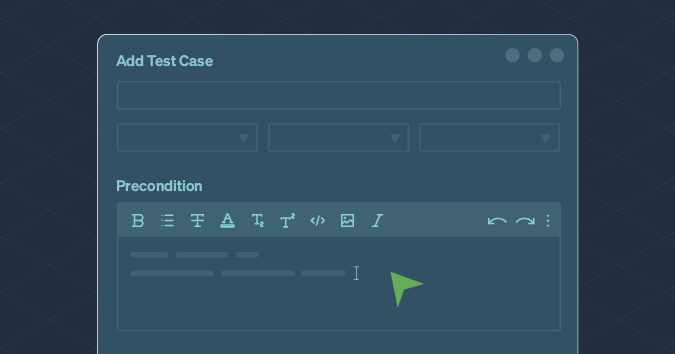
Rich text walkthrough
Teams often struggle with markdown test case formatting alone, which can lead to inconsistency and messy test cases.
TestRail 9.7 introduces a modern WYSIWYG Rich Text Editor that lets users create clean, well-formatted test cases with tables, images, and styling—all while maintaining full backward compatibility with markdown.
The result is faster authoring, easier readability, and more professional documentation across your entire testing process.
Learn more in the TestRail 9.7 release notes
Zero-downtime backups
As a reminder, zero-downtime backups are already live for Professional and Enterprise plan customers.
What it means:
- No more daily interruptions during scheduled backups.
- Seamless access to TestRail at all times.
- Improved reliability and performance. Automatically active for eligible customers.
This enhancement ensures TestRail Cloud remains available even during scheduled backups, providing uninterrupted access, improved reliability, and greater peace of mind.
AI test case generation
And don’t forget, our TestRail 9.5 release introduced AI test case generation, powered by Sembi IQ, to help teams create new test cases up to 90% faster with AI that truly understands testing.
AI features are available in TestRail Cloud only and are disabled by default. Admins can enable AI in the AI Hub and configure permissions by role or project.
If your legal team is reviewing AI use, our AI Data Policy makes it simple:
- AI only processes the data you choose to submit—never automatically.
- Your inputs and outputs remain your Customer Content.
- Data is never shared or used to train external models.
Get started: Quick Start – Generate Test Cases with AI
Enhanced traceability and reporting with the TestRail CLI
We’ve also been hard at work on the TestRail CLI, making it easier than ever to streamline your QA workflows. Users can now easily add, update, or remove references for test cases & test runs, ensuring complete visibility and consistency. If you haven’t checked out the TestRail CLI yet, learn how to get started here.
Bottom line
TestRail 9.7 focuses on what matters most—making test authoring cleaner, faster, and easier through a modern Rich Text Editor.
For a detailed list of updates and fixes in this release, see the full TestRail 9.7 release notes
And if you haven’t yet explored zero-downtime backups or AI test case generation, now’s a great time to take advantage of these powerful capabilities already available in TestRail Cloud.